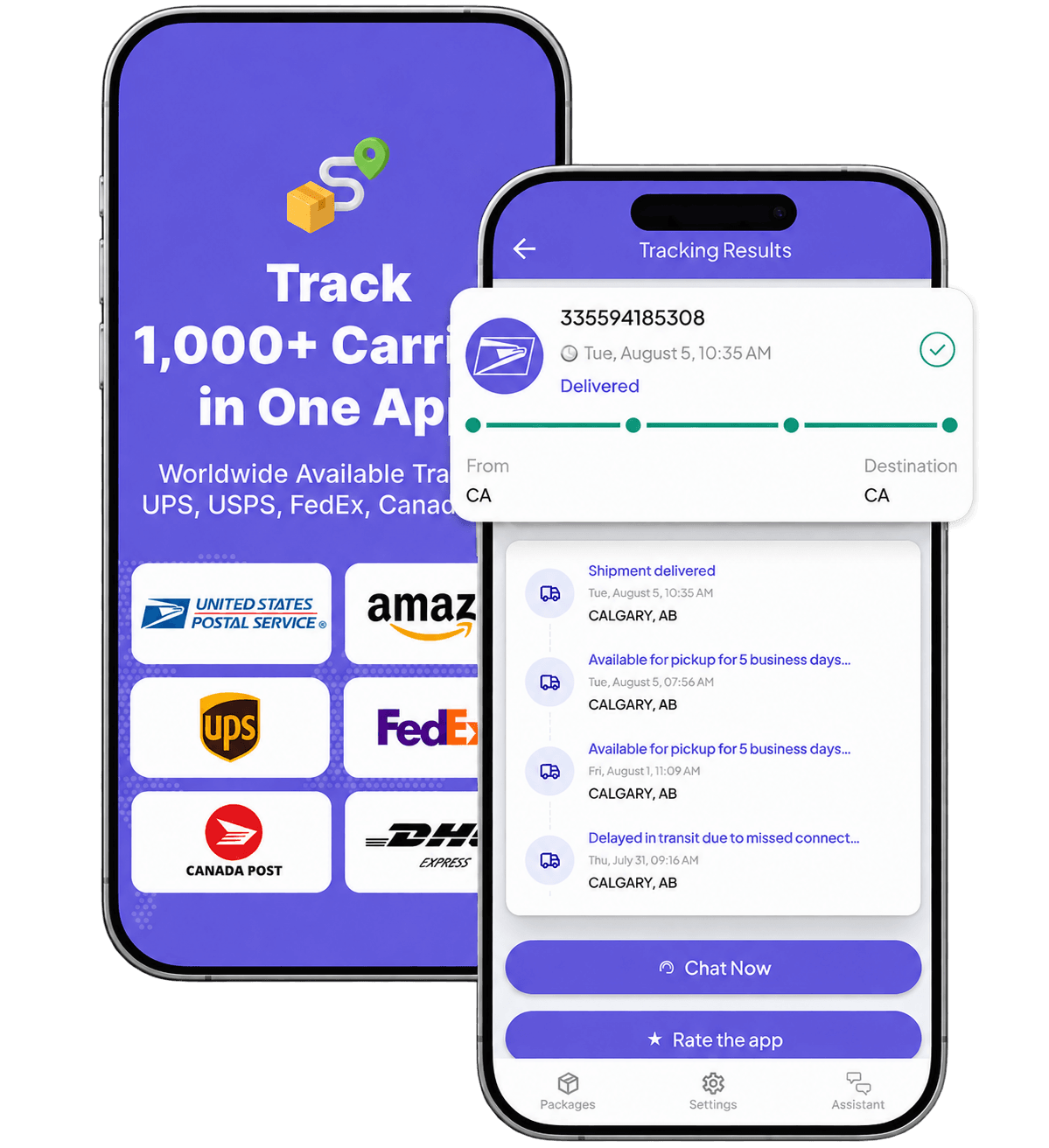
Track a USPS package on this page
Enter the USPS tracking number supplied on the mailing receipt, shipping label, sales receipt, or merchant shipping confirmation.
This page accepts one general tracking number at a time. It does not provide dedicated input modes for:
- a retailer order number;
- a PS Form 3849 notice barcode;
- multiple tracking numbers;
- an Informed Delivery account;
- a shipper reference;
- an address.
The official USPS website supports some additional workflows, including multiple-number tracking and redelivery based on a notice. Use the official USPS tool when the identifier or action is not supported here.
A retailer order number is not automatically a USPS tracking number. If the number produces no usable record, first verify the number and carrier rather than assuming the package is lost.
Protect the identifier as shipment data. Do not publish a full tracking number, barcode, notice number, address, or account screenshot in a public post.
What a USPS tracking result confirms
USPS Tracking is an event record. The strength of the evidence changes as new events appear.
| Strongest visible evidence | What it supports | What it does not establish by itself |
|---|---|---|
| Tracking number recognized or electronic information received | A USPS-associated shipment record exists | USPS has physically received the item |
| USPS in Possession of Item or Accepted | USPS recorded receipt, pickup, or acceptance | Every earlier physical step was scanned |
| Facility arrival, departure, or processing event | USPS recorded the item at a network stage | Continuous location between events |
| Out for Delivery | USPS prepared the item for a local delivery route | An unconditional guarantee of delivery that day |
| Available for Pickup | USPS recorded customer-pickup readiness | That an earlier notice or location name already meant it was ready |
| Delivered | USPS recorded a completed delivery outcome | Personal receipt by the named addressee or the exact condition of the contents |
| Signature or eligible Proof of Delivery | Additional carrier-recorded delivery evidence | Automatic proof of every disputed fact or legal responsibility |
A recognized number can exist before a possession scan. Conversely, absence of a public scan does not prove that a physical event occurred or did not occur.
Use the strongest recorded event currently available. Do not fill the gap with certainty in either direction.
USPS Tracking is not continuous GPS
A tracking page can display:
- electronic shipment data;
- acceptance or possession events;
- facility processing;
- transportation events;
- destination preparation;
- delivery attempts;
- pickup;
- delivery.
It does not continuously report the parcel’s physical position. A package can move between recorded events, and an event can appear after the physical activity occurred because recording, transmission, provider ingestion, and public display are separate steps.
There is no safe universal rule stating that every USPS item must receive a new public event within a fixed number of hours.
Which USPS items have tracking?
Tracking availability and detail depend on the USPS product and extra services.
Common package services
USPS identifies tracking as included with major domestic package services such as:
- Priority Mail Express;
- Priority Mail;
- USPS Ground Advantage.
These services can produce a normal package-style event history, although no public page should be treated as a guarantee that every operational step will appear.
First-Class Mail letters and flats
First-Class Mail letters and flats do not automatically include ordinary package-style tracking.
Eligible extra services can create other forms of evidence. For example, Certified Mail can provide electronic verification of delivery or attempted delivery. That is not the same as promising the scan pattern of a standard tracked parcel.
Registered Mail
Registered Mail is an important exception.
USPS does not describe Registered Mail alone as ordinary scan-by-scan tracking through the mailstream. Delivery-status information may still be available, but the user should not expect the same visible facility history as a normal tracked package.
The same caution is especially important for Registered Mail International, for which USPS warns that updated mailstream scans are not provided.
The practical rule
Do not ask only:
Is this a USPS item?
Also ask:
Which USPS product or extra service created this identifier?
The service controls how much public evidence should reasonably be expected.
USPS Tracking and Informed Delivery are different
These tools overlap, but they do not perform the same job.
| Tool | Main purpose | Important limit |
|---|---|---|
| USPS Tracking | Retrieve the public record for an eligible tracking identifier | Detail depends on the product and recorded events |
| Informed Delivery | Account-based previews of eligible incoming letter-size mail plus package information and notifications | Not every mailpiece or package must appear |
| USPS Tracking Plus | Extend online access to eligible tracking history | It preserves eligible history; it does not create missing scans |
| USPS Text Tracking | Receive requested tracking updates by text | A requested update is different from an unexpected message containing a link |
Informed Delivery can show images of eligible letter-size mail processed through automated equipment and information about incoming or outbound packages. It is not a complete inventory of everything moving to an address.
Therefore:
An image or package listing also does not guarantee that the item will be delivered that day.
When the question is about an Informed Delivery account, missing mail images, package listings, notifications, or address eligibility, use the official Informed Delivery service rather than treating the carrier-number tracker as the same product.
Read the complete USPS event
A shortened phrase can hide the fact that two events represent different custody states.
“Shipping Label Created, USPS Awaiting Item”
This usually records electronic shipment information. It does not show a USPS possession or acceptance event.
Use the Label Created guide for the full evidence and seller-contact decision.
“Picked Up by Shipping Partner, USPS Awaiting Item”
This is different. A shipping partner may have the parcel while USPS is still waiting to receive it.
Do not reduce the event to the final words “USPS Awaiting Item.” The full event can indicate partner possession before USPS handoff.
Use the USPS Shipping Partner / Awaiting Item guide to distinguish partner handling from USPS receipt and choose the next contact.
“USPS in Possession of Item” or “Accepted”
These are stronger evidence that USPS recorded receipt or pickup.
A later facility event can also provide downstream possession evidence even when an expected earlier acceptance scan is absent.
“In Transit” or “Moving Through Network”
This is a broad stage, not a precise current location. Read the detailed event, facility, and timestamp.
Use the In Transit guide for parent statuses, exact movement evidence, and repeated network events.
“Out for Delivery”
This records preparation for the local delivery route. It is not an unconditional promise that delivery will be completed that day.
Use the Out for Delivery guide or, when the expected delivery did not occur, Out for Delivery but Not Delivered.
“No Access” or “Notice Left”
These events do not have one universal next action.
USPS guidance distinguishes access-related events from notice branches that may require redelivery or pickup. Do not assume that every attempt automatically produces another attempt the next business day.
Use the dedicated Delivery Attempted guidance when it is available, and follow the exact reason and official notice instructions.
“Available for Pickup”
This is the stronger pickup-readiness event. A post-office name, a notice, or a transfer reference alone may not mean the parcel is ready for customer collection.
“Delivered”
Delivered is a carrier-recorded completion outcome. It is not automatic proof that the named recipient personally received the parcel.
When the record says delivered but the parcel cannot be found, use Delivered but Not Received.
Why a USPS record can appear incomplete
A sparse timeline can result from different evidence states:
- the sender created electronic shipment data but USPS has not recorded receipt;
- a shipping partner has the item before USPS handoff;
- an expected acceptance event is missing or delayed;
- an item moved between public events;
- the mail product provides limited visibility;
- a destination postal operator controls later international events;
- a service disruption affects movement or publication;
- the user has a valid record, but no new public event.
These possibilities are not interchangeable.
The first question is:
What is the last meaningful event that USPS or a partner actually recorded?
If a valid record exists but has stopped changing, use Tracking Not Updating. If no usable record exists, use Tracking Number Not Found.
Neither page should begin by declaring the item lost.
International USPS tracking
International tracking can involve more than one postal system:
USPS or origin post
→ export processing
→ transportation
→ customs
→ destination postal operator
→ final delivery
Service controls visibility
USPS identifies international tracking with services including Priority Mail Express International and Priority Mail International.
Other services can provide more limited or destination-dependent visibility. First-Class Package International Service, for example, does not support one universal event history for every destination.
Registered Mail International also should not be presented as ordinary scan-by-scan tracking.
The destination post can control later events
For outbound mail, the destination postal operator can become the best source for later delivery-country events. USPS and the destination post may display different detail or update at different times.
For inbound mail, an origin post, customs authority, and USPS can each control different parts of the record.
Customs is a separate authority
A customs event does not automatically prove that USPS currently possesses the item or that delivery will begin immediately.
Use Package Stuck in Customs when the problem is unresolved customs processing, documents, payment, inspection, or release.
Check current service alerts
International availability, transportation routes, and country restrictions can change. Use current USPS international service alerts instead of relying on a static country list.
Choose the right official USPS action
Tracking tells you what has been recorded. It does not make every action available.
| Situation | Best first route | Responsibility boundary |
|---|---|---|
| Electronic information only | Seller or shipper, plus the Label Created guide | The sender controls dispatch evidence before recorded USPS possession |
| Number produces no usable record | Verify the number and carrier | An order number or notice number may not be a normal tracking number |
| Valid record has no new event | Tracking Not Updating guide | The last meaningful event controls the diagnosis |
| Delivery attempt or notice | USPS redelivery or pickup instructions when eligible | Exact event and notice control the next action |
| Delivered but missing | Delivered but Not Received guide | Preserve evidence and check the delivery location before escalating |
| Missing item search | USPS Missing Mail | A search process is not the same as a compensation claim |
| Insurance or compensation | USPS claims plus the Package Claim guide when available | Eligible filer, product, evidence, and deadlines vary |
| Intercept before delivery | USPS Package Intercept | The sender or authorized representative generally controls the request |
| Current disruption | USPS service alerts | An alert is network context, not proof of one parcel’s exact location |
| Suspicious text or email | Open USPS independently; do not use the message link | A real shipment does not authenticate the message |
Missing Mail and claims are separate
USPS Missing Mail is a search or recovery route. A claim is a compensation process.
Do not treat “start a Missing Mail search” and “file a claim” as the same action. The product, evidence, eligible filer, and timing rules can differ.
Package Intercept is not a universal recipient right
USPS describes Package Intercept as an eligibility-limited request generally made by the sender or an authorized representative before the item reaches a disqualifying stage.
A recipient should not be told that any package can be intercepted from the tracking page.
Redelivery depends on the event and item
A PS Form 3849 notice can support official redelivery or pickup actions. This page does not accept the notice barcode as a dedicated tracking input. Use the official USPS redelivery route and the exact instructions on the notice.
Verify USPS messages independently
USPS offers requested text tracking. That means “USPS sends tracking texts” and “every USPS-branded text is genuine” are both unsafe simplifications.
Treat an unexpected message as suspicious when it asks you to:
- open a delivery link;
- correct an address through the message;
- pay a small redelivery or postage fee;
- enter card details;
- provide identity or account information;
- act immediately to prevent return.
Do not use the message’s link, QR code, reply address, phone number, or payment page to verify it.
Instead:
- open USPS.com or the official USPS app independently;
- enter the tracking number there;
- compare the exact recorded event;
- use an official USPS support or fraud-reporting route.
A real shipment or a real delay does not authenticate the message.
Protect tracking and delivery data
Treat these as sensitive shipment data:
- full tracking number;
- PS Form 3849 barcode or notice number;
- shipping label;
- QR code;
- address;
- account screenshot;
- signature;
- delivery photo;
- identity document.
A tracking number can expose limited shipment information to anyone who has it. Keep evidence private and redact it before sharing.
This page does not need a tracking screenshot, notice image, address, or Informed Delivery account view to explain the general decision.
Frequently asked questions
Can I track a USPS package without a tracking number?
USPS Tracking requires an eligible identifier. A retailer order number is not automatically a USPS tracking number, and USPS does not provide a universal way to recover every lost identifier. Check the mailing receipt, shipping label, merchant confirmation, or sender account. When no usable USPS number can be found, contact the sender or merchant.
Does every USPS item have tracking?
No. Tracking availability and detail depend on the product and extra services. Major package services such as Priority Mail Express, Priority Mail, and USPS Ground Advantage include tracking. First-Class Mail letters and flats do not automatically receive ordinary package-style tracking.
Is USPS Tracking live GPS?
No. It is a history of electronic shipment information and recorded USPS events. The item can move between visible events, and a public update can appear after the physical activity occurred.
Is Informed Delivery the same as USPS Tracking?
No. USPS Tracking retrieves the public record for an eligible identifier. Informed Delivery is an optional account product that can show images of eligible incoming letter-size mail, package information, notifications, and selected delivery tools. It does not guarantee that every item appears.
Can I enter a PS Form 3849 notice number on this page?
This page accepts one general USPS tracking number. It does not provide a dedicated PS Form 3849 workflow. Use the official USPS redelivery or pickup instructions shown on the notice.
What does “USPS Awaiting Item” mean?
Read the complete event. Plain Shipping Label Created, USPS Awaiting Item records electronic shipment data without a visible USPS possession event. A shipping-partner event containing the same final words can indicate that the partner has the parcel while USPS is still waiting to receive it.
Can Registered Mail be tracked?
USPS may provide delivery-status information, but Registered Mail should not be described as ordinary scan-by-scan tracking through the mailstream. Registered Mail International can also have limited public transit updates.
Can I continue tracking after an international package leaves the United States?
Sometimes. Visibility depends on the USPS service, destination, customs process, and destination postal operator. The destination post may publish later or more detailed delivery-country events.
Can 11Tracking contact USPS or change the shipment?
No. 11Tracking can perform a supported lookup and explain the public record. USTracking can save supported shipments and monitor future public events. Neither service can contact USPS, schedule redelivery, request intercept, file Missing Mail or a claim, or guarantee delivery.
Keep USPS updates together in USTracking
After you have identified the strongest recorded event and the correct official action, USTracking can help you:
- save a supported USPS shipment;
- organize the available public timeline;
- monitor future recorded events;
- receive notifications;
- read plain-language explanations.
USTracking cannot:
- locate the physical parcel;
- create or correct a USPS scan;
- recover a lost tracking number;
- access Informed Delivery;
- schedule redelivery;
- request Package Intercept;
- start Missing Mail;
- file a claim;
- contact USPS or the seller;
- guarantee delivery.
Use USTracking as a monitoring and interpretation companion, not as a substitute for USPS or the party responsible for the shipment.
Track more easily
Keep all your deliveries in one place
Add packages from different carriers to USTracking, return to active shipments faster and get plain-language help with unfamiliar tracking events.
Official USPS resources
Tracking and notifications
- USPS Tracking
- USPS Tracking — The Basics
- USPS tracking status help
- Informed Delivery
- USPS Text Tracking
- USPS Tracking Plus
Delivery and missing-item actions
International and safety
Scope and limitations
- This page covers the public tracking record for supported USPS identifiers.
- The 11Tracking form accepts one general tracking number at a time. It does not provide dedicated workflows for PS Form 3849 notices, references, multiple identifiers, or Informed Delivery accounts.
- Tracking availability and detail vary by mail product, extra service, destination, and recorded events.
- USPS Tracking is not continuous GPS and does not guarantee that every physical step appears publicly.
- A recognized identifier does not by itself prove USPS physical possession.
- Absence of a scan does not independently prove possession, non-possession, normal movement, or loss.
- Informed Delivery is a separate optional account product and does not guarantee that every mailpiece or package appears.
- Registered Mail should not be presented as ordinary scan-by-scan mailstream tracking.
- International visibility depends on service, origin, destination, customs, and postal-operator participation.
- Estimated dates, service alerts, and public events are not unconditional delivery guarantees.
- Missing Mail, claims, redelivery, Delivery Instructions, and Package Intercept are separate official processes with different actors and eligibility.
- A real USPS tracking event does not authenticate a text, email, link, fee, or address-correction request.
- Carrier products, tools, interfaces, status wording, fees, deadlines, and service availability can change before the next scheduled review.
- 11Tracking is independent and is not USPS, a postal operator, seller, marketplace, customs authority, claims administrator, or legal adviser.
Last reviewed: July 22, 2026 Next scheduled review: September 20, 2026 Correction contact: contact form Evidence basis: Current official USPS consumer, standards, international, action, and safety materials, supported by the private page-specific research packet
USPS and United States Postal Service are trademarks of the United States Postal Service. 11Tracking is an independent tracking helper and is not affiliated with or endorsed by USPS.
Tracking events and delivery estimates come from connected tracking services and carriers. Updates may be delayed, incomplete or revised. 11Tracking does not transport packages and cannot change a delivery.
After you track a parcel, its number is added to the page address so the result can be refreshed or shared. Anyone with that link can use the number, so share it only with people you trust.